

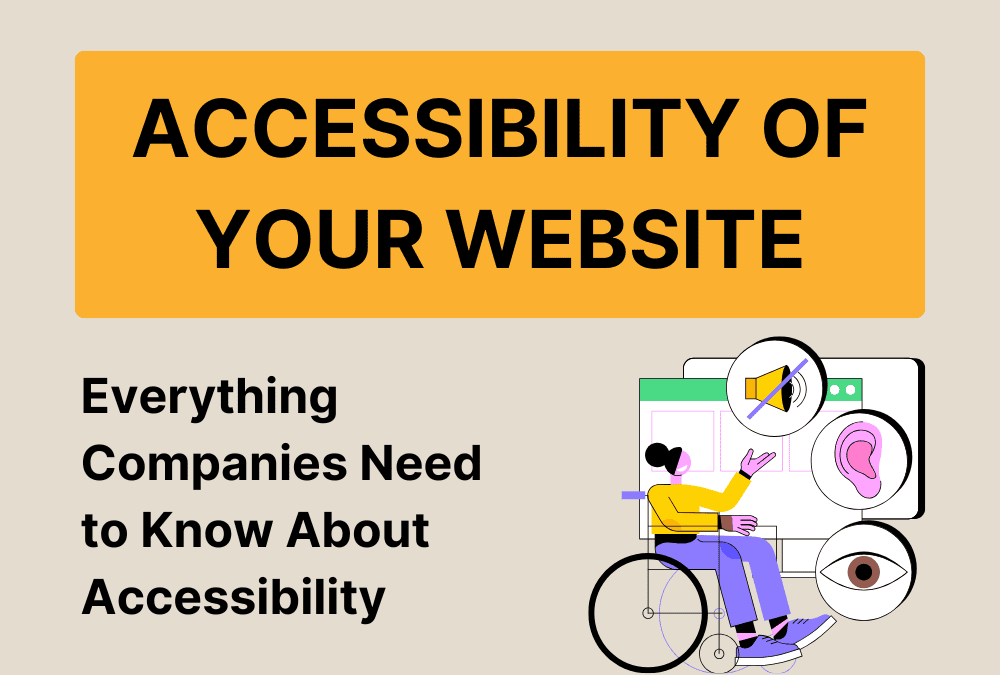
Digital accessibility is now coming into focus for companies: From June 28, 2025, the Barrier-Free Accessibility Reinforcement Act (BFSG) will come into force, making what previously only affected public bodies mandatory for many websites.
Your company website may then have to comply with the WCAG guidelines - especially if you operate online stores, make appointments bookable or offer other interactive services.
But don't worry: with the right knowledge and a structured approach, you can not only meet the legal requirements, but also significantly improve the user experience and reach of your digital offerings.
This article shows you what the WCAG standards really mean, what specific requirements your company will face and how you can implement them step by step - with practical examples and without unnecessary technical complications.
WCAG 2.1 and WCAG 2.2 test standards
Which version should be used when?
- WCAG 2.1 is currently (as of May 2025) legally binding:
- For public bodies in Germany, as the applicable EN 301 549 v3.2.1 refers to WCAG 2.1
- For websites and mobile applications covered by EU Directive 2102
- WCAG 2.2 is recommended, but not yet formally mandatory:
- For future-proof implementations, new projects should already take WCAG 2.2 into account
- It is expected that the European standard will be updated in the near future to reference WCAG 2.2
- Recommendation for practice:
- For existing websites: Implement at least WCAG 2.1 AA to be legally compliant
- For redesigns: Implement WCAG 2.2 to be future-proof and provide better accessibility for people with disabilities
- Consider the nine new WCAG 2.2 success criteria as they represent improvements that increase accessibility
For whom is accessibility according to WCAG 2.1 mandatory?
The obligation to comply with the WCAG 2.1 guidelines varies depending on the legal framework, type of organization and type of digital content. Here is a detailed analysis of different scenarios:
1. public bodies and authorities
In the European Union:
- EU Directive 2102 regulates barrier-free access to websites and mobile applications of public bodies
- Public bodies at federal, state and municipal level must make their digital services accessible
- This includes:
- Ministries and federal authorities
- State authorities
- Municipal administrations and town halls
- Public universities and colleges
- Public hospitals
- Public transportation
- Federal Employment Agency and similar institutions
In Germany in particular:
- The EU directive was enshrined in the Disability Equality Act (BGG)
- The specific implementation is carried out by the Barrier-free Information Technology Ordinance (BITV) 2.0
- At state level, there are additional regulations in the respective state disability equality laws
Which digital offers fall under this:
- Publicly accessible websites
- Intranets and extranets published after September 23, 2019
- Mobile applications (apps)
- Electronic administrative processes (from June 23, 2021 at the latest)
2. private sector and companies
General commercial websites:
- EU-wide: For general company websites, there was no legal obligation to comply with WCAG 2.1 until the Accessibility Improvement Act came into force
E-commerce and key services:
- With the Accessibility Improvement Act (BFSG):
- The BFSG comes into force on June 28, 2025
- From this date, services must be provided to consumers without barriers
- Subject: Online stores, websites with appointment bookings/reservations, contact options and interaction options as essential intermediate steps to consumer contracts
Exceptions for companies:
- Micro-enterprises are exempt (under 10 persons and max. 2 million euros annual turnover)
- Pure presentation websites without interaction options do not have to fulfill the requirements
- Blogs without interaction options are also excluded
3. special applications
Banks and financial service providers:
- EU-wide: banking websites and online banking are subject to the obligations, especially with the Accessibility Improvement Act
- They must make both the website and the authentication procedures accessible
Educational institutions:
- Public educational institutions: Obligated to comply with WCAG 2.1
- Private educational institutions: Generally not obliged unless they fall under other regulations (e.g. as providers of e-commerce services)
- Exception: If local laws on accessibility in education exist
Healthcare:
- Public health facilities: Must comply with WCAG 2.1
- Private healthcare providers: From 2025 with the BFSG if they offer appointment booking systems or online services
Associations and non-profit organizations:
- Generally not obliged unless they are publicly financed
- Exception: If they offer certain services in electronic commerce (from 2025)
4. levels of conformity and depth of implementation
The obligations generally relate to certain levels of conformity:
- The EU standard EN 301 549 only references the success criteria of levels A and AA
- These levels are considered mandatory criteria for public bodies
- In Germany, WCAG 2.0 AA is recognized as a legal standard, but the current standard refers to WCAG 2.1 AA
Special features:
- In Saxony-Anhalt, for example, the BGGVO LSA even requires compliance with level AAA for certain offers
5. practical distinctions according to usage scenarios
Scenario 1: Small company website without store
A craft business with 5 employees has a simple website with company information, but without an online store or appointment booking:
- Until 2025: No legal obligation for WCAG 2.1 conformity
- From 2025: Still no obligation, as micro-enterprises and no relevant services
Scenario 2: Online store of a medium-sized company
A company with 30 employees operates an online store for its products:
- Until 2025: No legal obligation for WCAG 2.1 conformity
- From 2025: Full obligation to comply with WCAG 2.1 (levels A and AA) by the BFSG
Scenario 3: Association with donation platform
A non-profit organization collects donations via its website:
- Until 2025: No legal obligation
- From 2025: Obligation for the donation process as a service in electronic business transactions if the association is not a micro-organization
Scenario 4: Doctor's practice with appointment booking
A private medical practice offers online appointment booking:
- Until 2025: No legal obligation
- From 2025: Accessibility obligation for the appointment booking system, unless the practice is considered a microenterprise
Scenario 5: Urban website
The website of a city with citizen services:
- Since 2019: Obligation for full WCAG 2.1 compliance (Level AA)
- Must also provide an accessibility statement and offer feedback options
The question of accessibility requirements for B2B companies is important and requires a differentiated approach:
Does accessibility also apply to B2B companies?
The Accessibility Reinforcement Act (BFSG) mainly focuses on services in electronic business transactions with consumers (B2C). The following distinction therefore applies to pure B2B companies:
Generally not mandatory for:
- Pure B2B websites that are only accessible to commercial customers
- Internal portals and platforms intended only for business customers or partners
- B2B product catalogs and price lists, unless they are also made available to consumers
However, it may be mandatory:
- Mixed business models:
- If your B2B company also offers services for end consumers
- If the website contains appointment bookings, contact options or other interactive functions that could be considered "essential intermediate steps towards the conclusion of a consumer contract"
- Publicly accessible areas:
- If your website is publicly accessible and consumers can use it, even if they are not the primary target group
- Login areas for existing customers often fall into a gray area
- Exception micro-enterprises:
- Companies with fewer than 10 employees and an annual turnover or annual balance sheet total of no more than EUR 2 million are exempt from the obligation
Checklist for accessibility according to WCAG 2.1 and 2.2
This checklist is based on the WCAG guidelines and the principles of accessibility: Perceivable, Usable, Understandable and Robust. The list contains specific requirements with examples and implementation measures.
WCAG 2.1 requirements (basic)
Principle 1: Perceptible
1.1 Text alternatives for non-text content
| Requirement | Example | Implementation measures |
|---|---|---|
| Alternative texts for images | A diagram showing sales figures | <img src="verkauf.jpg" alt="Diagramm: Verkaufssteigerung um 25% im 2. Quartal 2024"> |
| Empty alt attributes for decorative images | Decorative dividing element | <img src="linie.png" alt=""> or <img src="linie.png" role="presentation"> |
1.2 Time-based media
| Requirement | Example | Implementation measures |
|---|---|---|
| Subtitles for videos | Interview video | Provide subtitles as a .vtt file and integrate them via <track> |
| Audio description or transcript for videos | Tutorial video with visual instructions | Provide additional audio track or text document describing visual content |
1.3 Customizable content
| Requirement | Example | Implementation measures |
|---|---|---|
| Semantic HTML structure | Heading structure of a web page | <h1>, <h2>, <h3> etc. in a logical hierarchy |
| Mark up tables correctly | Data table with sales figures | <th> for column/row headings, <caption> for table description |
| Label form fields | Contact form | <label for="email">E-Mail:</label><input id="email" type="email"> |
1.4 Distinctiveness
| Requirement | Example | Implementation measures |
|---|---|---|
| Sufficient color contrast | Text on colored background | Contrast ratio of at least 4.5:1 for normal text, check with tools such as WebAIM Contrast Checker |
| Not just color to convey information | Error in a form | In addition to red color, also use a symbol (e.g. exclamation mark) and text |
| Text enlargement without loss of function | Navigation with Zoom | Responsive design that also works at 200% zoom without horizontal scrolling |
Principle 2: Operable
2.1 Keyboard accessibility
| Requirement | Example | Implementation measures |
|---|---|---|
| All functions can be operated via keyboard | Dropdown menu | Can be focused with Tab key and activated with Enter/space bar, no exclusive mouse actions |
| No keyboard traps | Modal dialog | Ensure that the focus does not remain trapped in the dialog, implement ESC button for closing |
2.2 Sufficient time
| Requirement | Example | Implementation measures |
|---|---|---|
| Customizable time limits | Session timeout | Warn users before expiry and give them the option to extend |
| Pause, stop, fade out movement | Auto-Carousel | Offer pause button, stop animation on hover/focus |
2.3 Do not trigger seizures
| Requirement | Example | Implementation measures |
|---|---|---|
| No flashing content | Advertising animation | Do not use flash effects, max. 3 flashes per second |
2.4 Navigable
| Requirement | Example | Implementation measures |
|---|---|---|
| Meaningful document titles | Browser tab title | <title>Produktkatalog - Unternehmen XYZ</title> |
| Skip links | Skip navigation | <a href="#content" class="skip-link">Zum Inhalt springen</a> |
| Focus visible | Active form field | Define CSS focus style: input:focus { outline: 2px solid #1976d2; } |
| Descriptive link texts | Link to download | "Download product brochure (PDF, 2 MB)" instead of "Click here" |
2.5 Input modalities (new in WCAG 2.1)
| Requirement | Example | Implementation measures |
|---|---|---|
| Pointer gesture alternatives | Swipe gesture to scroll | Offer additional forward/back buttons |
| Pointer Cancellation | Drag & Drop | Execute action only on release (mouseup), not on touch |
| Labeling in the name | Button with symbol | Visible text must be included in the accessible name |
Principle 3: Understandable
3.1 Legible
| Requirement | Example | Implementation measures |
|---|---|---|
| Set page language | German | <html lang="de"> |
| Mark language change | English quote | <blockquote lang="en">The future is now</blockquote> |
3.2 Predictable
| Requirement | Example | Implementation measures |
|---|---|---|
| No context change with focus | Dropdown navigation | Open menu only on click/enter, not on focus |
| Consistent navigation | Main menu | Menu in the same position and in the same order on all pages |
3.3 Input help
| Requirement | Example | Implementation measures |
|---|---|---|
| Error detection | Form validation | Clearly mark and describe errors: "Please enter a valid e-mail address" |
| Labels and instructions | Date field | Label + note: "Date of birth (DD.MM.YYYY)" |
Principle 4: Robust
4.1 Compatible
| Requirement | Example | Implementation measures |
|---|---|---|
| Name, role, value for UI components | Custom dropdown | Use ARIA attributes: role="combobox", aria-expanded="false" |
| Status messages | Form submitted | aria-live="polite" for messages that do not require immediate attention |
Additional WCAG 2.2 requirements
Principle 2: Operable
2.4 Navigable (extensions)
| Requirement | Example | Implementation measures |
|---|---|---|
| 2.4.11 Focus not obscured (AA) | Modal dialog above focused element | Ensure that focused elements are not covered by overlays and remain at least partially visible |
| 2.4.12 Focus not obscured (extended protection) (AAA) | Tooltip hides focused element | Ensure that focused elements remain fully visible |
| 2.4.13 Appearance of the focus (AAA) | Focus indicator | Outline at least 2 CSS pixels wide with a contrast ratio of at least 3:1 to the surrounding content |
2.5 Input modalities (extensions)
| Requirement | Example | Implementation measures |
|---|---|---|
| 2.5.7 Pulling movements (AA) | Move map | Offer alternative by clicking on arrows/buttons, not just drag & drop |
| 2.5.8 Target value (minimum) (AA) | Clickable elements | Ensure target size of at least 24x24 pixels or minimum distance of 24 pixels to other clickable elements |
Principle 3: Understandable
3.2 Foreseeable (extensions)
| Requirement | Example | Implementation measures |
|---|---|---|
| 3.2.6 Consistent help (A) | Help functions | Place help functions (contact, help, feedback, etc.) in the same position on all pages |
3.3 Input help (extensions)
| Requirement | Example | Implementation measures |
|---|---|---|
| 3.3.7 Redundant input (A) | Several form steps | Pre-fill information already entered (e.g. address) if it is needed again |
| 3.3.8 Accessible authentication (AA) | Login process | Offer alternatives to CAPTCHAs, avoid cognitive function tests or provide alternatives |
| 3.3.9 Accessible authentication (without exceptions) (AAA) | 2-factor authentication | No cognitive function tests in any step of the authentication process |
Practical implementation tips
- Validation and tests:
- Perform HTML and CSS validation
- Tests with screen readers (e.g. NVDA, JAWS, VoiceOver)
- Check keyboard navigation
- Test color contrast with tools such as WebAIM Contrast Checker
- development process:
- Considering accessibility right from the start
- Carry out regular audits
- Obtain feedback from users with disabilities
- Documentation:
- Creating and updating an accessibility statement
- Designate a contact person for feedback
- Offer alternative contact options
- Technology and code:
- Use semantic HTML
- Use JavaScript in such a way that it does not impair any critical functions when deactivated
- Only use WAI-ARIA when necessary and correctly
- Implement responsive design
- Content management:
- Train editors in accessible content creation
- Using CMS plugins for accessibility
- Quality assurance for user-generated content
Font sizes and contrasts: mandatory or recommended?
Customizable font sizes:
According to the WCAG guidelines, it is not mandatory for websites to offer a dedicated function for changing the font size. Instead, the following must be ensured:
- Zoom options must be offered for web content
- According to WCAG 2.1, success criterion 1.4.4 (AA): Text must be able to be enlarged by up to 200% without losing functionality or requiring horizontal scrolling
- The website must function correctly with the standard browser functions for enlarging (Ctrl/Cmd + Plus, browser zoom)
- The text must remain legible when enlarged and must not be cut off or overlay other content
There is therefore no need for a separate font resizing function on the website itself, as long as the website scales correctly with the built-in browser zoom functions.
Contrast settings:
In terms of customizable contrasts:
- It is not mandatory for a website to offer functions for individual contrast adjustment
- However, WCAG 2.1, success criterion 1.4.3 (AA) requires: contrast ratio of at least 4.5:1 for normal text and 3:1 for large text
- WCAG 2.1, success criterion 1.4.11 (AA) also requires a contrast of 3:1 for control elements and graphic objects
- There are exceptions in some specific situations, e.g. for logos, decorative elements or inactive control elements
It is important that the website meets the minimum contrast ratios in its standard display. Additional contrast switching (e.g. "High contrast" or "Dark mode") is recommended, but not mandatory.
Summary:
- Mandatory: Texts must be able to be enlarged to 200% using browser functions; sufficient contrast ratios must be provided in the standard view
- Not mandatory: Dedicated functions for font size or contrast adjustment directly on the website
However, for a better user experience and a more inclusive website, it is recommended to offer additional customization options, such as
- Buttons for enlarging text
- Contrast switch (e.g. dark mode or high contrast)
- Possibility to change fonts
These additional options improve accessibility beyond the minimum requirements and are appreciated by many users with and without disabilities.

